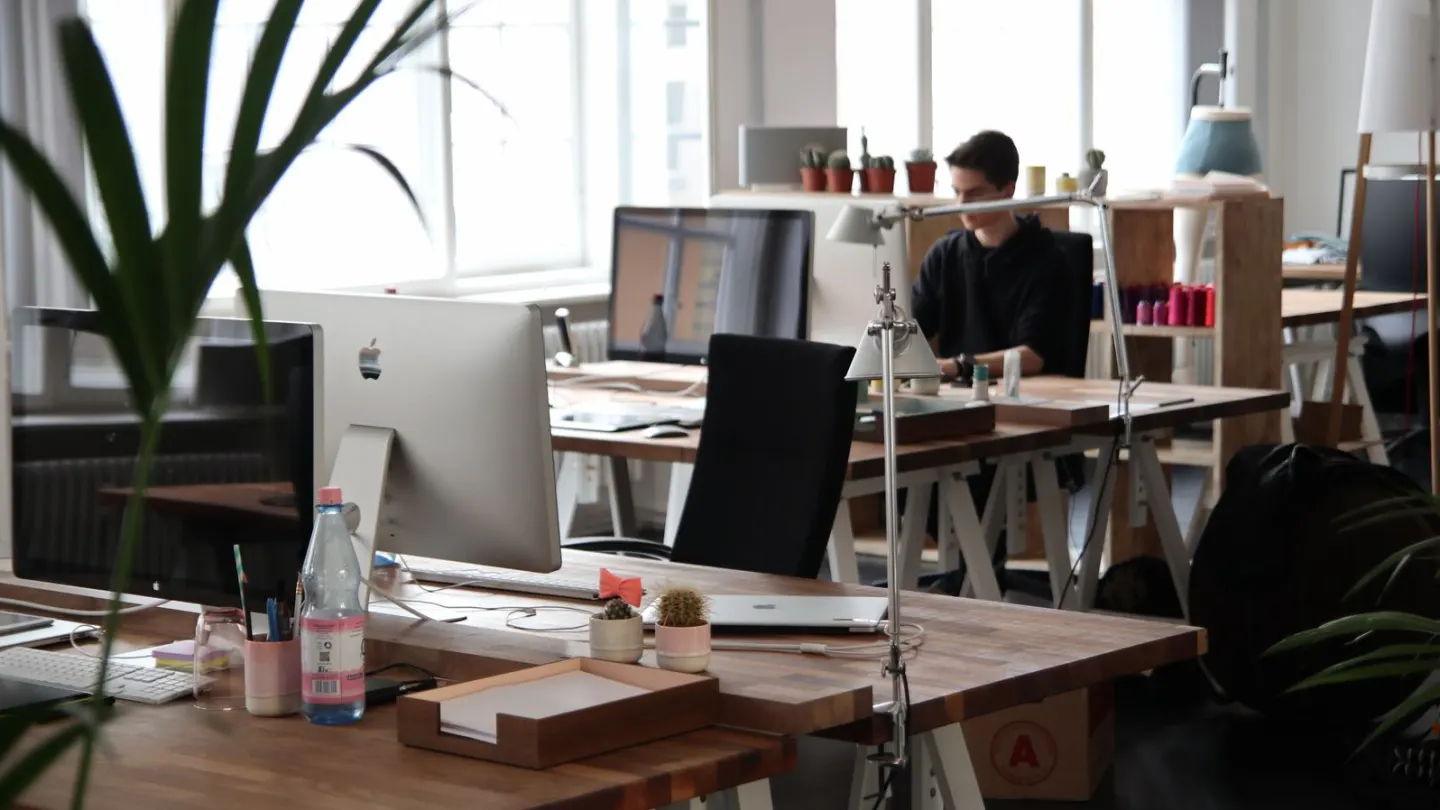
A hybrid work desk setup is two workplaces, not one clever chair. Home and the office each need a basic fit. The harm is not the commute. It is inheriting the last person’s heights and then sitting still.
HSE display-screen rules cover home workers and people who change desks. If you hot-desk, you should do a basic check each time the furniture changes. The same logic applies to a two-day office week. A dock that felt fine on Monday can sit too low on a thinner desk on Thursday.
Why a hybrid work desk setup goes wrong
People blame the train. The more common strain is mismatch. At home the laptop sits on a dining table. In the office a monitor sits off to the side. You then hold a small twist for hours. HSE still wants the screen ahead of you, about an arm’s length away, with the top near eye level. Keys sit just below the elbows. Shoulders stay quiet.
Two sites make those checks easy to skip. You arrive, plug in, and start a call. The previous user was taller. The chair is high. Your feet dangle. Or the home chair is a sofa and the office chair is a throne. Neither is a diagnosis. Both are extra load.
HSE notes that poorly designed display work can lead to pain in the neck, shoulders, back, arms and hands. It can also add fatigue and eye strain. The cause is not always one gadget. It is often hours of the same reach, plus too few breaks, plus a second desk you never reset.
A hybrid week can still meet activity goals if you use the gaps. NHS, CDC and WHO adult advice still centres on at least 150 minutes a week of moderate activity, plus muscle work on two or more days. The walk to the office can count. The freeze at either desk does not replace it.

Run a five-minute reset at each desk
Do this before the first meeting. Sit as you will work. Open a real document, not a blank desktop.
Set the chair so both feet rest on the floor or on a firm rest. Sit back. Use the lumbar support if it fits. If it shoves you forward, ease it off. Bring the keyboard close. Park the mouse beside it. Raise or lower the screen so you are not looking down at a laptop or up at a giant display.
If you use a laptop at either site, raise it and add separate keys for long typing. If the office has a dock, put the main screen in front of you. Put the laptop screen to the side only if you glance at it. Do not sit square to one display and twist toward the other all morning.
Check glare. A window behind the screen will make you lean. A bright patch on the glass will make you tilt the head. Move the board, the blind, or the chair a few inches before you accept a sore neck as part of hybrid life.
| Minute | Home desk | Office desk |
|---|---|---|
| 1 | Feet on the floor; sit back in the chair | Change the chair height; do not keep the last user’s setting |
| 2 | External keys close; mouse beside them | Keyboard and mouse pulled in from the dock clutter |
| 3 | Laptop on a riser if you will type for long | Main screen dead ahead; second screen to the side |
| 4 | Top of screen near eye level; enlarge text | Same height check; lower a too-tall monitor |
| 5 | Note one walk cue, such as the kettle | Note one walk cue, such as the printer or stairs |
Keep the same order as the desk ergonomics checklist. Chair and keys first. Screen second. Gadgets last. A new dock will not fix a chair that leaves your feet hanging.
Pack a kit that survives both sites
The useful bag is small. Compact keyboard. Mouse. Folding riser or a known plan for books at home. One cable pouch. A headset if you take calls. Optional: a thin lumbar roll that you will actually unpack.
Leave duplicates at the site you use most. Carrying kit is the reason many people stop using it. A keyboard that lives in a drawer at home, and a second cheap pair at work, beats one perfect set that stays in the rucksack.
Label your office settings if you can. A small note on the monitor arm (“top at eye level”) saves the next visit. If you share the desk, you will still need the five-minute reset. Other bodies are not a template.
Shoes change desk height. A thick sole at the office and socks at home will move elbow height. Check again when you change shoes. Standing desks add another reset. The standing desk transition plan covers a slow build if one site has a high desk and the other does not.

Use the gaps between the two desks
The commute can be the most useful movement of the day if you walk part of it. If you drive, park farther away. If you take a train, get off a stop early when that is safe and realistic. Those minutes sit closer to NHS walking advice than another hour glued to either chair.
Once you sit, you still need change. HSE favours short, frequent changes of activity over one long break at lunch. Look away from the screen. Stand for a call when privacy allows. Walk to fill a bottle. The movement snacks guide and the ten desk stretches travel with you. They do not need a special room.
Do not save all motion for the office days and freeze at home, or the reverse. The body does not average two harsh days against two gentle ones as neatly as a calendar does. Aim for a reset at both sites.
When two desks are not the real problem
If pain follows you from kitchen table to office dock, the furniture is only one layer. See a GP in the UK, or a primary care clinician in the US, if neck or arm symptoms last, spread, or disturb sleep. Pins and needles, weakness, or symptoms after an injury need a proper look. Occupational health can review a workplace when problems keep returning.
Seek urgent care after a fall, crash, or sudden severe pain. Call 999 or 911 if you think it could be an emergency. Night pain, fever, unexplained weight loss, or trouble controlling the legs are not “hybrid fatigue”.
Ask for a display-screen assessment if you are a DSE user in Great Britain. A second screen at home, a better chair, or a change to the task might be the outcome. Showing up at two desks is not a fitness plan. It is a reason to fit both of them.
Minimum parity between home and office stations
Aim for similar eye-to-screen height and keyboard distance in both places. A riser + external keyboard at home prevents the “office feels fine, home wrecks my neck” pattern. Keep a duplicated short setup checklist in both bags or drawers.
Transition days
On office days after long home weeks, re-check chair and monitor before the first meeting. On home days after commuting, do a 5-minute undo walk and hip-flexor stretch before sitting.
One bag kit
Travel mouse, compact keyboard, and cable for HDMI/USB-C cover most hot-desk and home gaps. Label chargers so hybrid days do not start with scavenger hunts that skip setup.
Making hybrid work desk setup survive a busy week
Attach hybrid work desk setup to existing breakpoints and recheck setup whenever you change chairs or rooms. Keep a minimum version for meeting-heavy days.
Persistent numbness, night pain or weakness needs clinical or occupational-health input rather than endless self-tweaks.
Revisit the key steps for Hybrid Work: Making Two Desks Less Harmful twice this week at the doses above, changing only one setup cue between attempts.
Revisit the key steps for Hybrid Work: Making Two Desks Less Harmful twice this week at the doses above, changing only one setup cue between attempts.
Revisit the key steps for Hybrid Work: Making Two Desks Less Harmful twice this week at the doses above, changing only one setup cue between attempts.
Revisit the key steps for Hybrid Work: Making Two Desks Less Harmful twice this week at the doses above, changing only one setup cue between attempts.
Revisit the key steps for Hybrid Work: Making Two Desks Less Harmful twice this week at the doses above, changing only one setup cue between attempts.
Revisit the key steps for Hybrid Work: Making Two Desks Less Harmful twice this week at the doses above, changing only one setup cue between attempts.
Frequently asked questions
Do I need matching desks at home and in the office?
How often should I repeat the reset?
Is hybrid work healthier than five office days?
What if I have no home desk?
Should I stand all day at the office to “make up” for sitting at home?
Sources
- 1. Working safely with display screen equipment
- 2. Good posture when using display screen equipment
- 3. Home working: display screen equipment
- 4. Physical activity guidelines for adults aged 19 to 64
- 5. Adult activity guidelines
- 6. Physical activity
Guidance changes. Figures were checked against the sources above at the time of review; always confirm current advice with your GP, pharmacist or clinician.
Image credits
- Photo: Photo by Ken Tomita on Pexels / Openverse
- Photo: Photo on Pexels / Openverse
- Photo: Photo by fauxels on Pexels / Openverse
Was this useful?
Anyone can react — no account needed.

Discussion
0 comments · Name and email only · Email is never shown