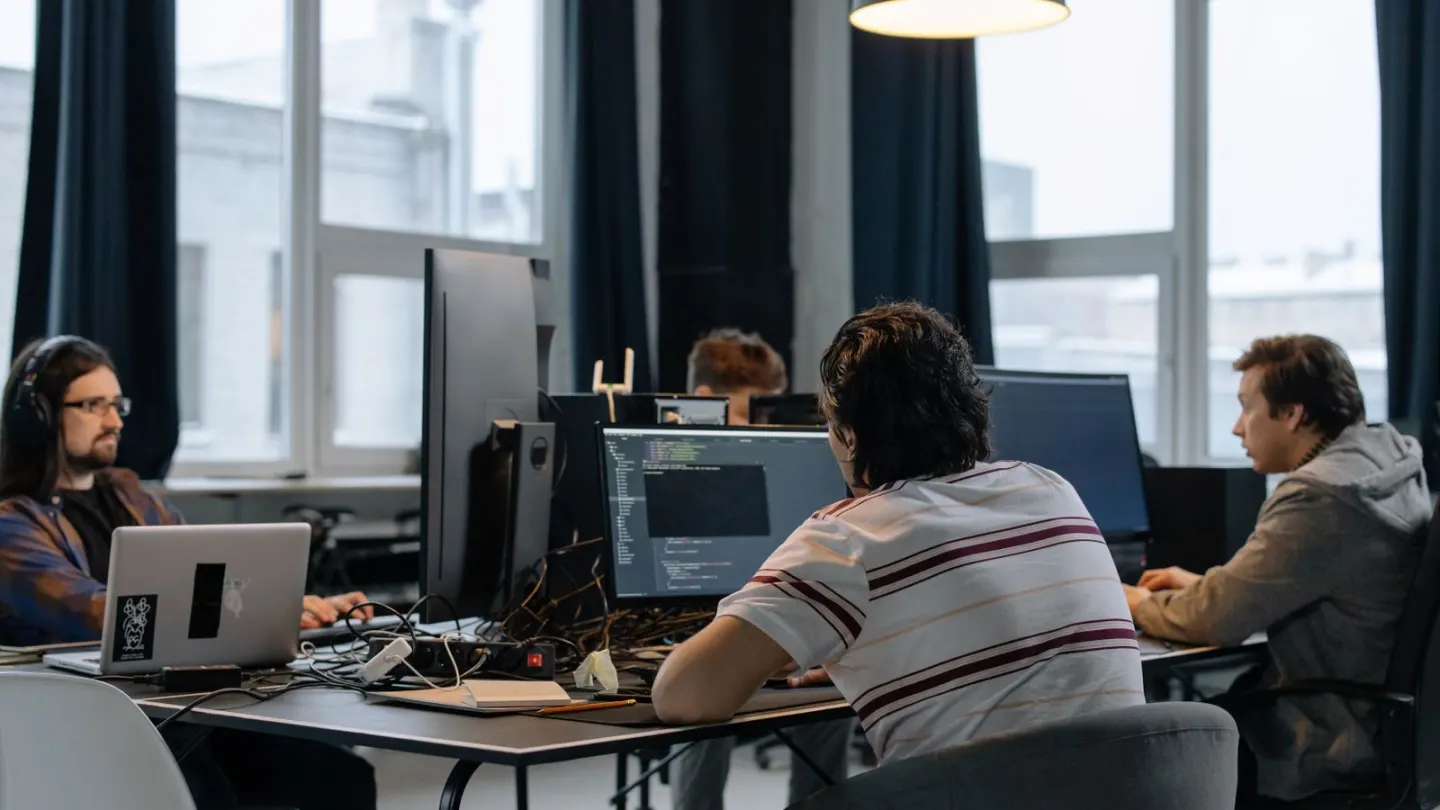
Break reminders only help if you obey them. A quiet cue tied to real work beats a loud timer you dismiss for a week and then delete.
Most people do not fail because they lack an app. They fail because the alert arrives in a meeting, during a sentence, or while a customer is talking. The brain learns to swipe it away. By Thursday the reminder is furniture. A better plan gives each cue a small job you can actually do.
UK display-screen guidance wants short, frequent changes of activity, taken before you are already cooked. NHS sitting advice is the same idea in fewer words: get up, move, then return. Break reminders should serve that pattern. They should not turn the day into an alarm contest.
Why most break reminders fail by Wednesday
A reminder that asks for a workout will lose to a deadline. A reminder that asks for 20 seconds of looking out of a window has a chance. The American Academy of Ophthalmology describes a simple eye rest: every 20 minutes, look at something about 20 feet (6 metres) away for 20 seconds. That is small enough to keep. Blink fully a few times while you look. Then return.
HSE’s public example is five to ten minutes away from the screen each hour, or a change of task that uses different muscles. Twenty minutes every two hours is a poorer pattern. The useful unit is frequent change, not a heroic lunch you never take.
Alarm fatigue is real. If you dismiss eight prompts before noon, the ninth has no meaning. Cut the list. Keep one quiet visual cue and one movement cue. Silence both during driving, clinical work, or any task where stopping is unsafe. A calendar block or a watch tap is kinder than a lock-screen banner that leaks titles.
| Cue | What you do | How long | If you cannot obey now |
|---|---|---|---|
| Every 20 minutes | Look far away and blink | 20 seconds | Do it at the next pause in typing |
| End of a call | Stand, roll the shoulders, walk to a window | 1 to 2 minutes | Stand for the next audio-only call |
| Each clock hour | Leave the workstation or change task | 5 to 10 minutes | Take 3 minutes at the next safe gap |
| Lunch | Eat away from the monitor | 20 to 30 minutes | Close the lid for 15 minutes at least |
| Kettle or printer | Walk the long way back | 2 to 4 minutes | Use stairs instead of the lift if you can |

Break reminders you will actually obey
Name the cue in words you already use. “After I send this, I stand.” “When the hour turns, I refill water.” That sentence is a reminder. The calendar can hold it. You do not need a new brand of timer.
Put longer pauses on the shared calendar as meetings with yourself. If your culture laughs at that, protect a shorter slot rather than skip it. Fifteen honest minutes away beat a theoretical hour. HSE also says users should be discouraged from using the computer during a break, including “just checking” the internet. The screen is the load.
Match the prompt to the job. A silent 20-minute ping is for the eyes. A hourly chime is for the legs. Do not let both demand a corridor walk. That is how people mute everything. Pair the eye rest with the 20-20-20 screen-break routine so you know what the short ping is for.
Try one weekday as a test. At 10:00, look out of a window for 20 seconds. At 11:00, walk to the printer the long way. At 12:40, eat away from the screen. At 15:00, stand for a call. Write a tick mark when you obey the cue. Four ticks is a good day. Zero ticks means the cue is in the wrong place.
If you stand for some of the day, a reminder can still help. Frozen standing is still frozen. Recheck desk height, then walk. The standing desk transition plan is the place to build upright time without swapping one ache for another.

Choose tools that stay quiet
One calendar and the clock on your screen are enough for many people. Operating-system break apps can work if the sound is off and the snooze is honest. A wearable tap can work in a shared room. Disable it for presentations and patient contact.
Do not stack four apps that all shout at 11:00. Pick one. Review after five working days. Count the prompts you obeyed, not the prompts you received. If the hit rate is below half, the interval is wrong, or the action is too big.
Keep a “defer to next gap” rule. Missing a ping during deep work is not a debt. You do not owe three walks in a row. Resume the pattern. If you always miss the same hour, move the cue to the meeting that always ends then. A reminder that arrives while you are speaking should wait. A reminder that arrives while you are waiting for a file can be used at once.
What to do in the two minutes you actually take
Stand if it is safe. Walk to a window. Fill a bottle. Look at a far wall. Relax the hands. Those are changes of demand. Scrolling a phone is still near work for your eyes. A news feed is not a break from a monitor.
Hands and wrists need a pause too. Rest them off the keys. Then return with a lighter touch. The NHS describes repetitive strain as pain from repeating the same motion. A reminder cannot prevent that on its own. Fit and variation still matter. See the RSI prevention guide for keyboard and mouse.
If you have time for a longer reset, two minutes of the ten desk stretches is plenty. Keep the range small in an open office. Save floor work for home.
WHO, NHS, and CDC adult activity advice still points to weekly walking. Desk pauses help you sit less.
When a reminder is the wrong fix
If you cannot leave the chair because of staffing, that is a work-pattern issue. In Great Britain, DSE users should have breaks or changes of activity planned in. Raise it with a manager or occupational health. A louder phone will not create cover.
Stop and seek urgent help for chest pain, collapse, or sudden severe breathlessness. Call 999 or 911. A timer is not first aid.
See a clinician if pain, numbness, or headaches keep returning. A reminder can prompt a pause. It cannot diagnose a nerve problem, low mood, or eye disease. If you feel you cannot stop because of fear or pressure, that is also a reason to talk to a person, not to buy a stricter app.
Reminder designs people actually follow
Use fewer, kinder prompts: one hourly stand chime beats six ignored alarms. Tie breaks to events (meeting end) when timers fail. Put the first action on a sticky note so the chime does not open a negotiation.
Snooze policy
Allow one snooze during live presentations, then require a stand at the next breakpoint. If you dismiss a prompt five times, delete that reminder and replace it with a coarser hourly one.
Team norms
Agree that cameras-optional stretch minutes are acceptable. Shared norms reduce the social friction that makes individuals skip breaks.
Making break reminders survive a busy week
Attach break reminders to existing breakpoints and recheck setup whenever you change chairs or rooms. Keep a minimum version for meeting-heavy days.
Persistent numbness, night pain or weakness needs clinical or occupational-health input rather than endless self-tweaks.
Revisit the key steps for Break Reminders You Will Actually Obey twice this week at the doses above, changing only one setup cue between attempts.
Revisit the key steps for Break Reminders You Will Actually Obey twice this week at the doses above, changing only one setup cue between attempts.
Revisit the key steps for Break Reminders You Will Actually Obey twice this week at the doses above, changing only one setup cue between attempts.
Revisit the key steps for Break Reminders You Will Actually Obey twice this week at the doses above, changing only one setup cue between attempts.
Revisit the key steps for Break Reminders You Will Actually Obey twice this week at the doses above, changing only one setup cue between attempts.
Revisit the key steps for Break Reminders You Will Actually Obey twice this week at the doses above, changing only one setup cue between attempts.
Revisit the key steps for Break Reminders You Will Actually Obey twice this week at the doses above, changing only one setup cue between attempts.
Field notes that keep break reminders useful
Before the next session involving break reminders, decide the exact dose: duration, sets, portions or steps — whatever this article measures. Write it somewhere you will see at the start time. Vague intentions are how good advice becomes unused bookmarks.
Afterward, record one sentence on comfort and one number from the plan (load, minutes, fibre grams, glasses, intervals). That pair of notes is enough to spot patterns across a fortnight without building a complicated spreadsheet you abandon.
If the plan collides with the same obstacle twice — late meetings, sore knees, skipped breakfast — change the obstacle, not only your willpower. Move the slot, shorten the session, or prepare the meal earlier. break reminders only works as behaviour in a real week.
Share the plan with one person who will ask a kind check-in question, or book it in a shared calendar. Quiet accountability beats public pressure. Re-read the sections above after two weeks and keep only the pieces you actually repeated.
Revisit the safety notes in this article whenever break reminders feels rushed. Slowing the first five minutes usually saves the whole session.
Revisit the safety notes in this article whenever break reminders feels rushed. Slowing the first five minutes usually saves the whole session.
Revisit the safety notes in this article whenever break reminders feels rushed. Slowing the first five minutes usually saves the whole session.
Frequently asked questions
How many break reminders should I set?
Is every 20 minutes too often?
What if my job will not let me leave the desk?
Do break reminders reduce how much I get done?
Should I make up alerts I missed?
Sources
- 1. Display screen equipment: work routine and breaks
- 2. Why we should sit less
- 3. Computers, digital devices and eye strain
- 4. Adult activity guidelines
- 5. Physical activity fact sheet
- 6. Ergonomics and musculoskeletal disorders
Guidance changes. Figures were checked against the sources above at the time of review; always confirm current advice with your GP, pharmacist or clinician.
Image credits
- Photo: Photo by cottonbro studio on Pexels / Openverse
- Photo: Photo by Kampus Production on Pexels / Openverse
- Photo: Photo by Vitaly Gariev on Pexels / Openverse
Was this useful?
Anyone can react — no account needed.


Discussion
0 comments · Name and email only · Email is never shown