A lunch away from screen is the only part of many desk days when the display actually stops. That pause is the point, not a nice extra.
If you eat at the keyboard, you have not taken a break. You have changed the plate beside the mouse. UK display-screen guidance is blunt: a useful pause happens away from the workstation, and it should let you stand, move or change posture. A lunch away from screen is the simplest way to do that without a special app.
This is not a diet plan. It is a work-pattern change. Lunch is one reliable gap in a day that otherwise keeps your eyes, wrists and hips in the same shape.
Why a lunch away from screen is the real break
Desk work stacks three loads at once. Your eyes stay on a near target. Your wrists stay over keys. Your hips stay flexed. A sandwich does not undo that if the laptop stays open. The meal may even slow you down, because chewing and clicking compete.
HSE notes that changes of activity often help more than a formal rest that still uses the screen. That is the logic of a lunch away from screen. You stop the near work. You change posture. You give attention a different job, even if the job is only tasting soup.
NHS advice to sit less is modest. Stand on a call. Walk at a tea break. Use stairs. Lunch is the one block most offices already protect on paper. Use it. Do not donate it back to email. A midday walk does not replace weekly activity. It does break a long sit.

What UK and US workplace guidance actually says
In Great Britain, employers must plan display-screen work so users get breaks or changes of activity. There is no single legal timer. HSE’s public example is useful: five to ten minutes every hour beats twenty minutes every two hours. Breaks should let you get up and move, or at least change posture.
HSE also says users should be discouraged from using the computer during a break, including “just checking” the internet. That sentence is the whole case for a lunch away from screen. The screen is the load. Removing food from the desk is not enough if the lid stays up.
OSHA’s computer workstation advice in the US is less about lunch law and more about varying tasks. The shared idea is simple. No chair makes eight still hours a health plan. For the chair, screen and keyboard, use the desk ergonomics checklist rather than guessing. NHS Every Mind Matters adds the same in plainer words: take lunch, take short screen pauses, then return.
| Choice | Time | What “away” means | Movement |
|---|---|---|---|
| Minimum reset | 15 minutes | Leave the room or close the laptop and sit elsewhere | Walk to collect food, then sit to eat |
| Standard desk lunch | 20–30 minutes | Eat where you cannot see the monitor | Five to ten minutes of easy walking |
| Longer outdoor lunch | 30–40 minutes | Leave the building if you can | A brisk loop around the block |
| Home-working lunch | 20 minutes | A different chair or the kitchen table, phone in another room | Stairs, kettle, a short garden loop |
How to take a 20-minute lunch that works
Decide the start time the night before, not when hunger wins. Put it on the calendar as a meeting with yourself. If your culture treats lunch as optional, protect a shorter slot rather than skipping it. Fifteen honest minutes away beat a theoretical hour you never take.
Close the lid. Do not dim the screen and “just listen” to a webinar. That is still near work for your eyes. If you must stay near a phone for on-call work, leave the laptop. Take the phone to a window or kitchen.
Change rooms if you can. In an open office, even a cafeteria seat that faces away from monitors helps. At home, the kitchen table is better than the desk. The sofa with a laptop is not a lunch away from screen. It is a softer chair with the same load.
Eat, then walk, or walk, then eat. Either order works. The walk can be slow. The NHS point is to break sitting, not to train for a race. Two flights of stairs and a corridor loop still count. Pair that with the short bouts in our movement snacks for the work day guide if lunch is your only guaranteed gap.
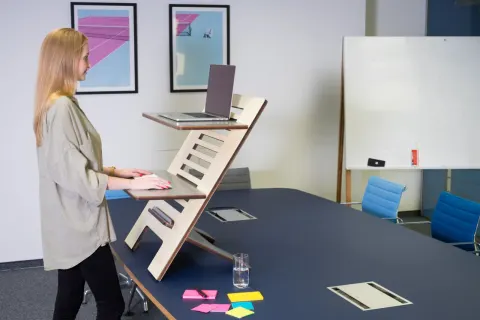
A sit–stand desk can help later in the day, but lunch is still better elsewhere. See the staged plan in the standing desk transition guide.

Food, walking and a simple order of actions
Pick food you can eat without a keyboard nearby. The health question is not gourmet status. It is whether you sit down without a cursor waiting. A very large plate can make some people sleepy. If afternoons feel foggy, try a slightly smaller serving and a short walk. Keep water in reach. After you sit back down, do not skip the next pause to “catch up”. If shoulders feel jammed, two minutes from the ten desk stretches is a better restart than diving into mail.
Common traps when lunch stays on the laptop
The “working lunch” that never ends. A call with a fork in your hand is still a call. Eat before or after, away from the screen.
Phone-as-screen. Scrolling news is not rest for your eyes. Park the phone. A colleague or the window is a better lunch partner.
Eating so fast you never leave. If you have twelve minutes, walk for four, eat for eight, and come back.
Laptop chores. Banking and shopping are still display work. Do them after you have eaten. A corridor bench is enough if the canteen is a myth.
If lunch leaves you with chest pain, faintness, or breath that will not settle, that is urgent care. Call 999 in the UK or 911 in the US for a life-threatening emergency.
Why the break is the nutritional and cognitive point
Eating while answering chat keeps stress physiology closer to work mode and often speeds chewing past fullness cues. A screen-free 20–30 minutes will not fix every diet goal, but it gives posture, eyes and attention a real off-ramp.
How to protect lunch on meeting-heavy days
Block it as “focus / meal,” decline overlapping optional meetings when you can, or take a 15-minute minimum version outdoors. Keep a backup food option at work so errands do not erase the break.
| Label | Value | Unit |
|---|---|---|
| Minimum reset | 15 | minutes away from the monitor |
| Standard desk lunch | 25 | minutes including a short walk |
| HSE example pause | 8 | minutes each hour as a public example |
Social lunches and solo resets
Both count. Social meals help connection; solo quiet meals help recovery. Choose based on the day’s cognitive load rather than forcing one style.
Workday application notes for lunch away from screen
Tie lunch away from screen to a visible cue you already have: a kettle boil, the end of a recurring meeting, or plugging in a laptop at the start of deep work. Keep a one-line prompt on a sticky note near the screen with the first move and hold time so you do not renegotiate the routine mid-afternoon.
If symptoms during lunch away from screen include numbness, progressive weakness, chest pain, or pain that wakes you at night, stop self-managing and speak with a clinician or occupational-health service. Comfort drills support ordinary stiffness; they do not replace assessment.
Revisit your desk height, screen position and break timing whenever you change chairs, monitors or work locations. A routine built for one setup can feel oddly hard in another — adjust the environment before you assume you need more aggressive stretching.
A practical 25-minute lunch template
Minutes 0–5: leave the desk and collect food. 5–15: eat without email, phone face-down if you can. 15–22: easy walk outside or around the floor. 22–25: refill water and return. If lunch is only 15 minutes, keep eat + 5-minute walk and skip the longer stroll.
Prep a desk-drawer backup meal for days when queues erase the break. The backup exists so the screen-free rule survives chaos.
One more concrete week of practice
Schedule two appointments with yourself for the skills in this article. Session one copies the doses exactly. Session two adjusts a single cue that felt weakest — depth, quiet footfall, hold time, or screen height — and keeps everything else identical.
After those two sessions, keep what was sustainable. Discard any add-on that only worked once. That is enough experimentation for one week.
Desk-day choreography for lunch away from screen
Anchor lunch away from screen to breakpoints you already have: ending a call, sending a calendar invite, boiling a kettle, or standing to collect printing. Write the first action and timing on a sticky note near the monitor — for example “30s doorway stretch each side” or “60s walk after every second meeting.” If the note needs a paragraph of explanation, simplify the action until it fits one line.
Batch similar resets so you are not context-switching endlessly: eye breaks can be ultra-short and frequent; mobility snacks can cluster at mid-morning, lunch and mid-afternoon; workstation tweaks belong at the start of a work block rather than during deep focus. Different tools should not all scream with the same alarm sound.
When the calendar collapses, keep a minimum version of lunch away from screen: stand and change gaze, or do the shortest stretch sequence already listed. Protecting the minimum on chaotic days prevents the all-or-nothing pattern where one busy Thursday erases the whole week’s intention.
Environment checks that multiply the routine
- Screen height near eye level for your main sitting posture.
- Keyboard and pointing device close enough that shoulders stay quiet.
- Feet supported; avoid long periods perched on a chair edge.
- A clear two-metre path for a micro-walk without tripping on cables.
- Water bottle placement that forces a brief stand when empty.
Re-run this checklist when you change rooms, laptops, or chairs. A routine for lunch away from screen that felt easy at the office can feel awkward on a kitchen stool — fix the surface before you assume you need longer stretches.
Symptoms that mean stop self-managing
Seek appropriate care for night pain that wakes you, progressive numbness or weakness, unexplained swelling, chest symptoms, or headaches with visual changes. Desk routines and microbreaks support ordinary stiffness from static work; they are not a diagnosis pathway. Occupational-health or a GP/primary care clinician can advise on adjustments, display-screen assessments, and referrals.
Review lunch away from screen every fortnight with one question: did the planned breaks or drills happen on most workdays? If not, reduce the ask until it fits the real meeting load, then rebuild. Sustainable beats elaborate.
Frequently asked questions
Does a lunch away from screen have to last a full hour?
Is eating at a standing desk a valid lunch away from screen?
What if my job will not allow me to leave the desk?
Will a screen-free lunch help me lose weight?
Should I stretch or walk first?
Sources
- 1. Why we should sit less
- 2. Working safely with display screen equipment: work routine and breaks
- 3. Adult activity: an overview
- 4. Physical activity fact sheet
- 5. Tips to tackle working from home
Guidance changes. Figures were checked against the sources above at the time of review; always confirm current advice with your GP, pharmacist or clinician.
Image credits
- Photo: Photo by Andrea Piacquadio on Pexels / Openverse
- Photo: Photo by fauxels on Pexels / Openverse
Was this useful?
Anyone can react — no account needed.

Discussion
0 comments · Name and email only · Email is never shown